
imgupscaleraiImgUpscaler
AI color darkroom

Colorize Photo

Bring plausible color to a monochrome record while keeping the original frame in view.

Built for portraits, family groups, and street archives. Color is inferred from context, not recovered as historical fact.

Open the workbench
Color archive workbench
1 credit per photo

Bring a black-and-white photo into the darkroom

Drop a portrait, group photo, or street scene here to prepare it for colorization.

Paste from clipboardPNG, JPG, or WebP - up to 5MB

The color archive

Three records. Three different color problems.

Every Before file below is a real grayscale image on disk. No browser filter is used to manufacture a monochrome example.

Source

Decoded grayscale

Operation

Whole-image color

Control

Before / after

The same portrait after AI colorization
A physically grayscale portrait used for the colorization test
Before
AI color
ARCHIVE / 01

Skin tone study

Skin tone without repainting the person

A portrait makes facial warmth, hair boundaries, and clothing transitions easy to inspect. The comparison keeps the original crop visible so identity changes cannot hide behind color.

Review target: natural skin, clean hairline, unchanged expression.
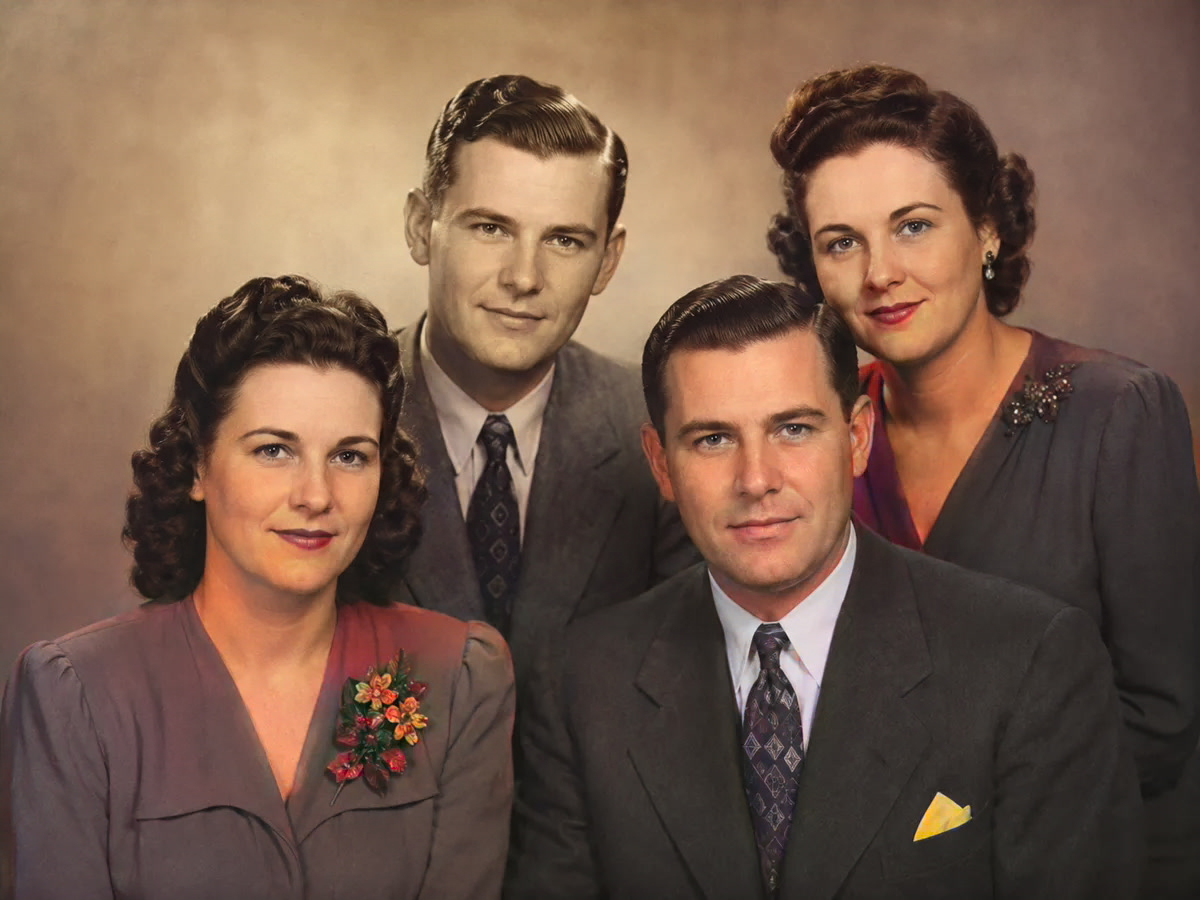
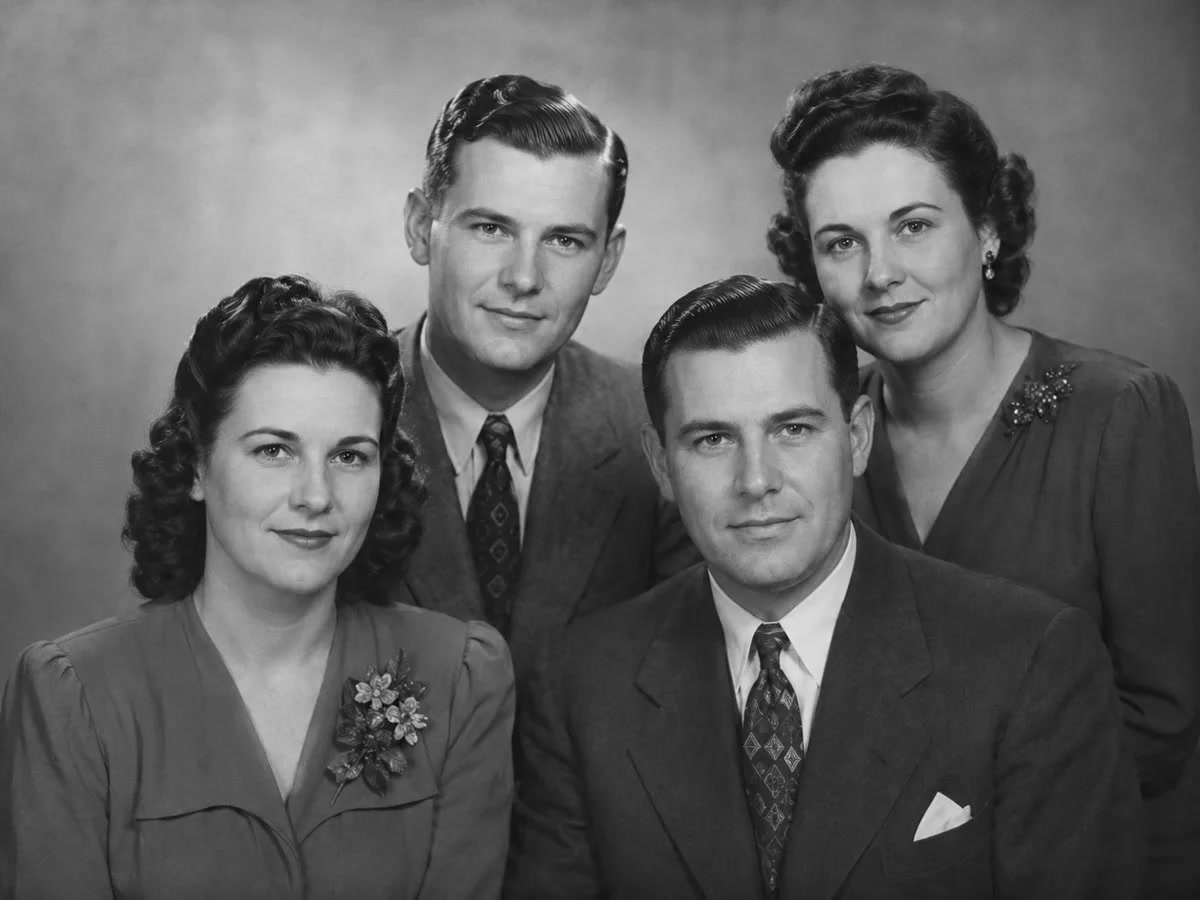
The same family portrait after AI colorization
A physically grayscale four-person family portrait
Before
AI color
ARCHIVE / 02

Group separation study

Separate people in a crowded frame

Group photographs test whether nearby faces, garments, and the background receive distinct color decisions instead of one broad tint across the frame.

Review target: independent skin tones and no color transfer between subjects.
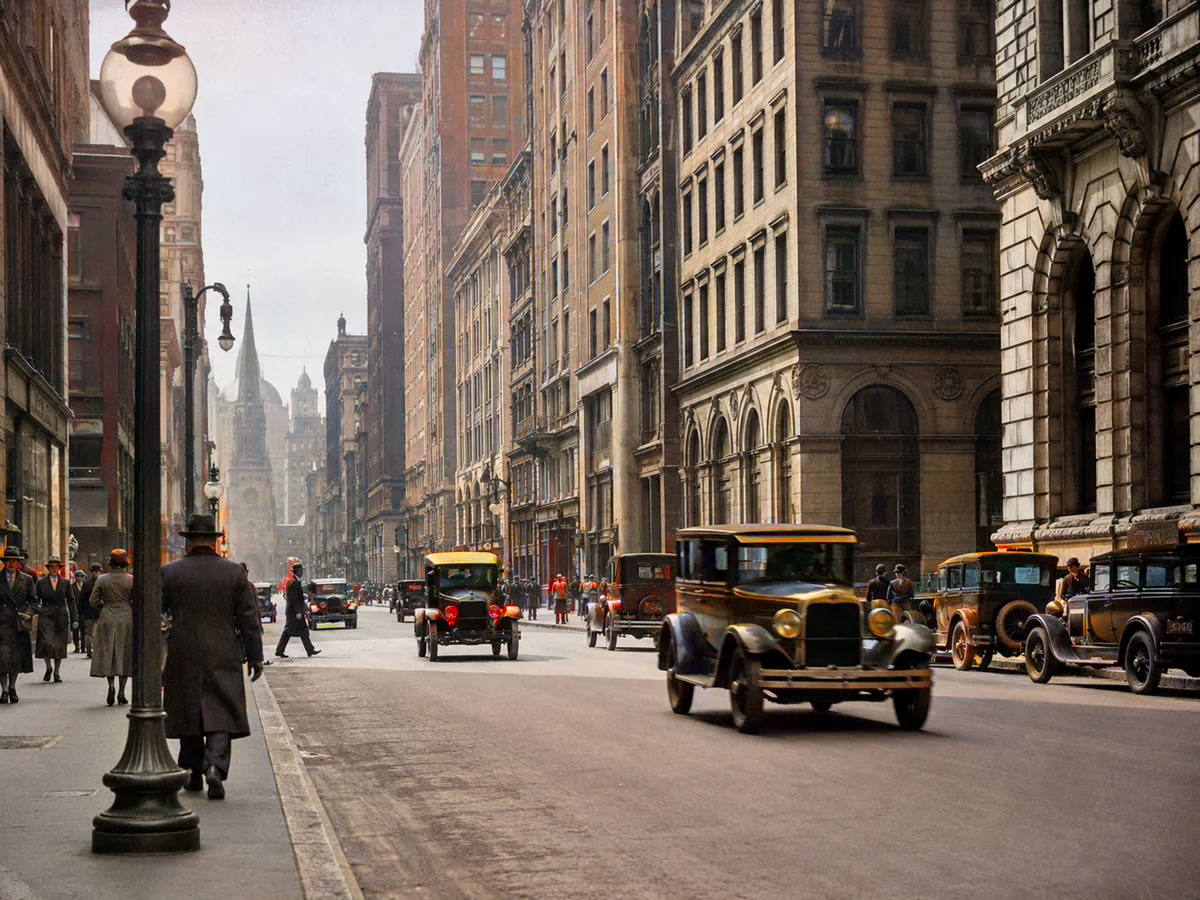
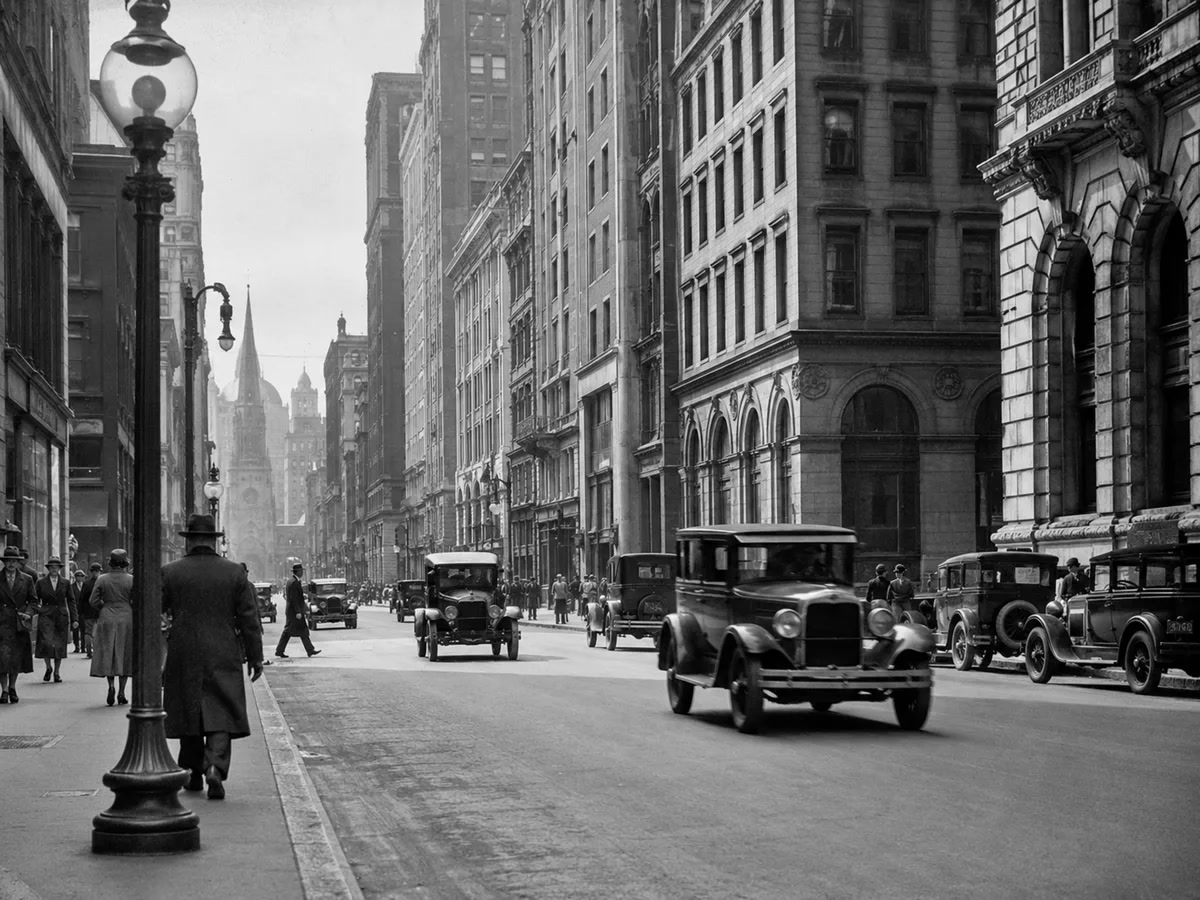
The same historic street scene after AI colorization
A physically grayscale historic street scene
Before
AI color
ARCHIVE / 03

Scene color study

Read an entire street as one scene

Architecture, sky, road, foliage, and small figures create a scene-level test. Plausible context matters, but the source geometry remains the record to trust.

Review target: coherent scene color and controlled edges around structures.

What the model reads

Color decisions happen at different scales.

A useful result must make sense on a face, between neighboring people, and across the wider scene. The original remains the reference at every scale.

Skin and hair

Local tonal cues guide complexion, lips, hair, and nearby fabric without a user-controlled strength setting.

People in context

Adjacent faces and garments test whether inferred colors stay attached to the correct subject.

Scene structure

Sky, vegetation, masonry, and roads depend on broader context rather than one global tint.

A controlled process

From upload to a reviewable result.

There is no decorative strength slider. The workbench exposes the actual operation: submit one image, compare the whole result, and export it.

01

Choose the record

Upload a black-and-white or heavily faded PNG, JPG, or WebP image.

02

Infer plausible color

The model analyzes people, objects, and scene context with no invented intensity control.

03

Compare before export

Inspect the original and result across the frame, then download a colorized PNG.

Archive note

Treat generated color as an annotation, not evidence.

Preserve the original monochrome file alongside every colorized version. For research, publication, or restoration records, label the result as AI-generated and verify known colors against primary sources.

Keep both files

The monochrome source remains the authoritative visual record.

Label the interpretation

Make the use of AI color inference visible wherever the result appears.

Check known details

Use documented references for uniforms, signs, products, and landmarks.

Inspect the full frame

Review faces, fine edges, and background regions before publishing.

Colorization questions

What to know before using AI color.

Practical limits matter most when the source is archival, personal, or historically significant.

Are the generated colors historically accurate?+

Not necessarily. The model infers plausible colors from learned visual patterns. Use documented references when exact uniform, product, building, or clothing colors matter.

Does colorization change the photograph itself?+

The operation returns a full colorized image and is intended to preserve composition and identity. Always compare the result with the source before archival or editorial use.

Can I adjust color intensity?+

No. The selected model does not expose a user-facing strength or saturation parameter, so this page does not present a control that the provider cannot honor.

Can I upload an image that already contains some color?+

The upload accepts supported image files without a black-and-white gate. Results on already colored or partially faded material may be reinterpreted, so compare the full frame carefully.